AI Assistant for Assessment Comments
AI Assistant for Assessment Comments
The AI Assistant helps preceptors generate, refine, and improve narrative assessment comments directly within assessment forms.
AI support is available throughout Weekly, Ad-Hoc, and Mid-Rotation assessments wherever the AcademX AI button is displayed.
The AI Assistant is designed to:
- Reduce time spent writing evaluations
- Help structure professional narrative feedback
- Generate constructive comments aligned to assessment criteria
- Refine existing comments while maintaining your intended meaning and tone
Opening the AI Assistant
To use AI assistance:
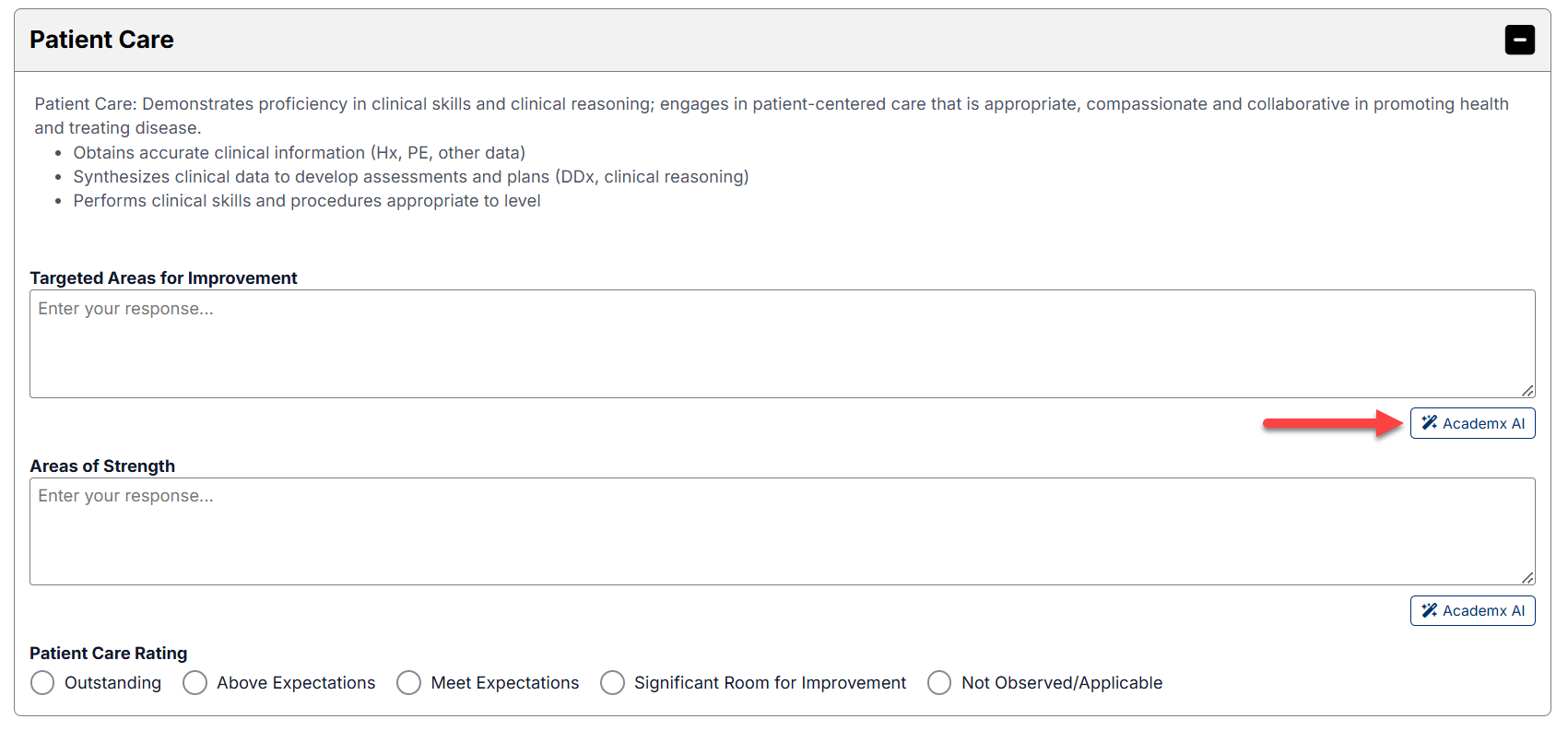
- Navigate to any narrative comment field within an assessment form.
- Click the AcademX AI button beside the comment box.
- The AI Assistant window will open.
Custom Mode
The Custom tab allows you to write your own comments first and then use AI to improve or refine them.
This option is useful when:
- You already have feedback written
- You want to improve wording or professionalism
- You want assistance refining tone and clarity while preserving your original meaning
Using Custom Mode
- Open the AI Assistant.
- Select the Custom tab.
- Type or paste your narrative comment into the text area.
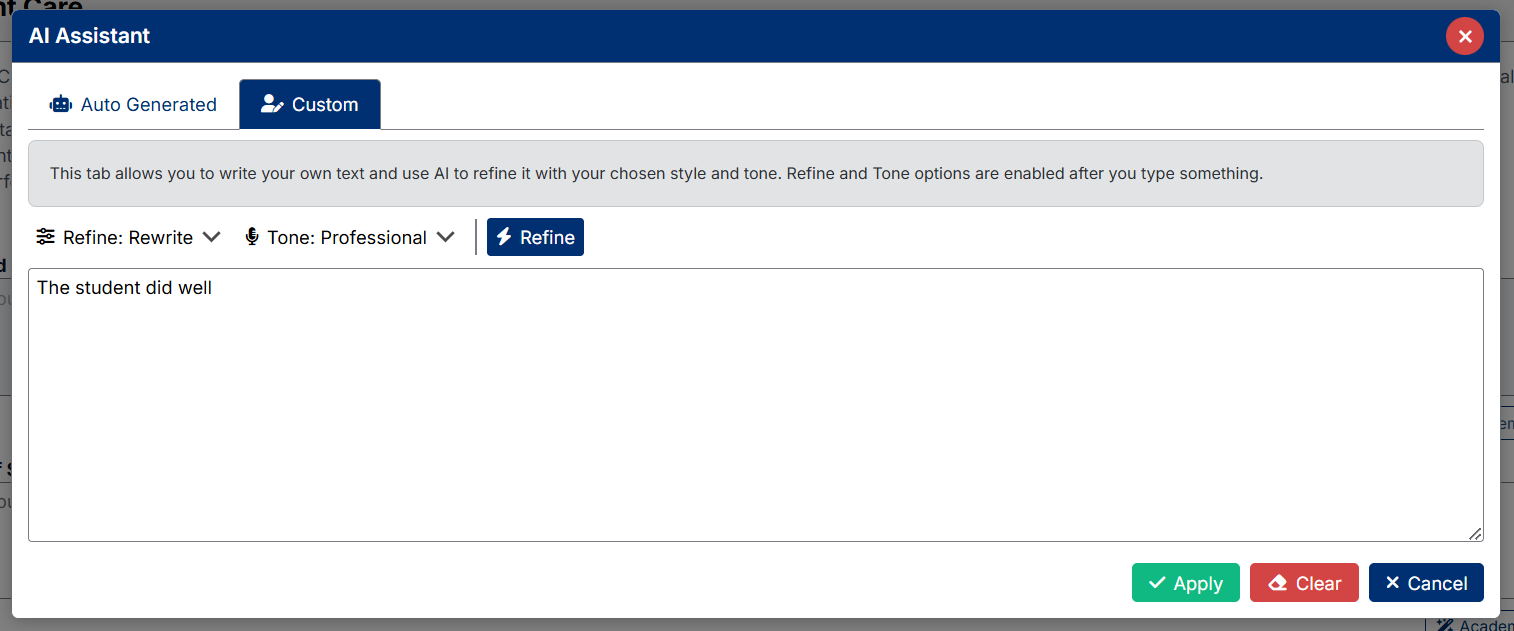
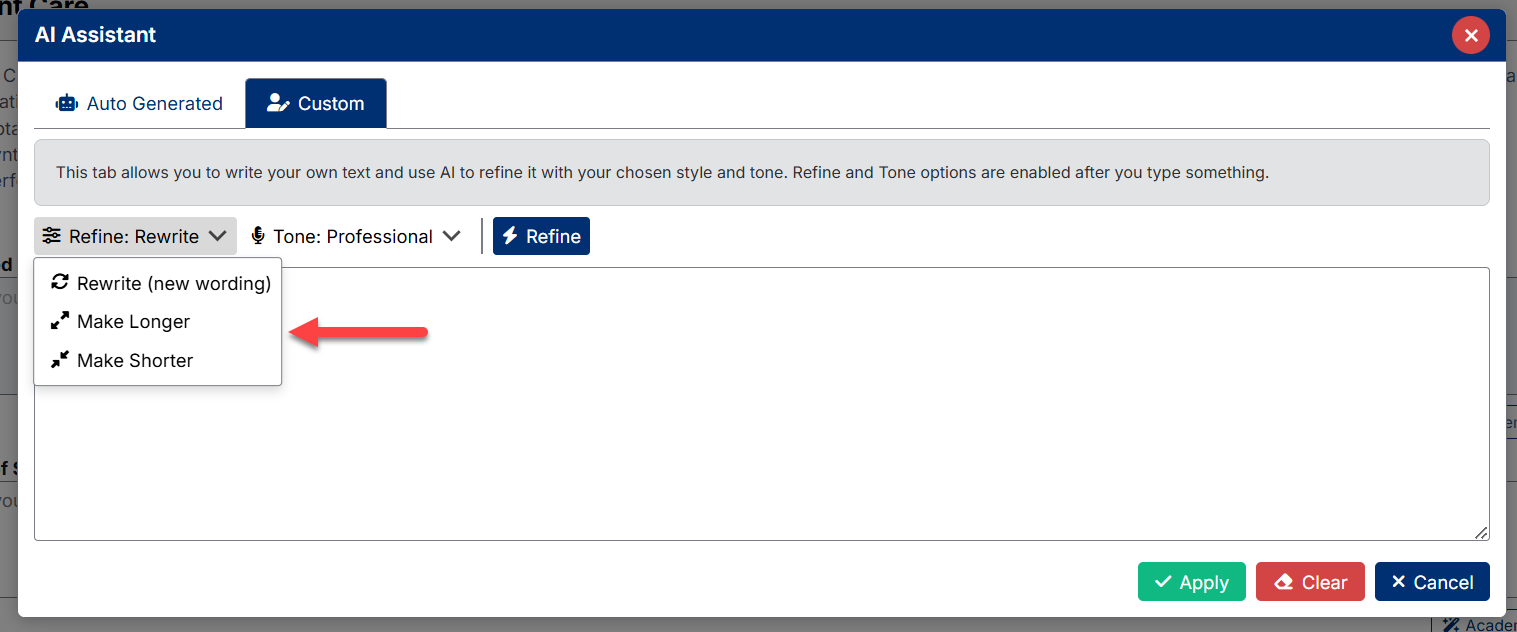
- Select:
- Refine option
Controls how the AI structures or modifies the writing style.
Examples include:
- Rewrite
- Expand
- Shorten
- Improve Clarity
- Tone option
Controls the professional style of the generated text.
Examples include:
- Professional
- Supportive
- Constructive
- Direct
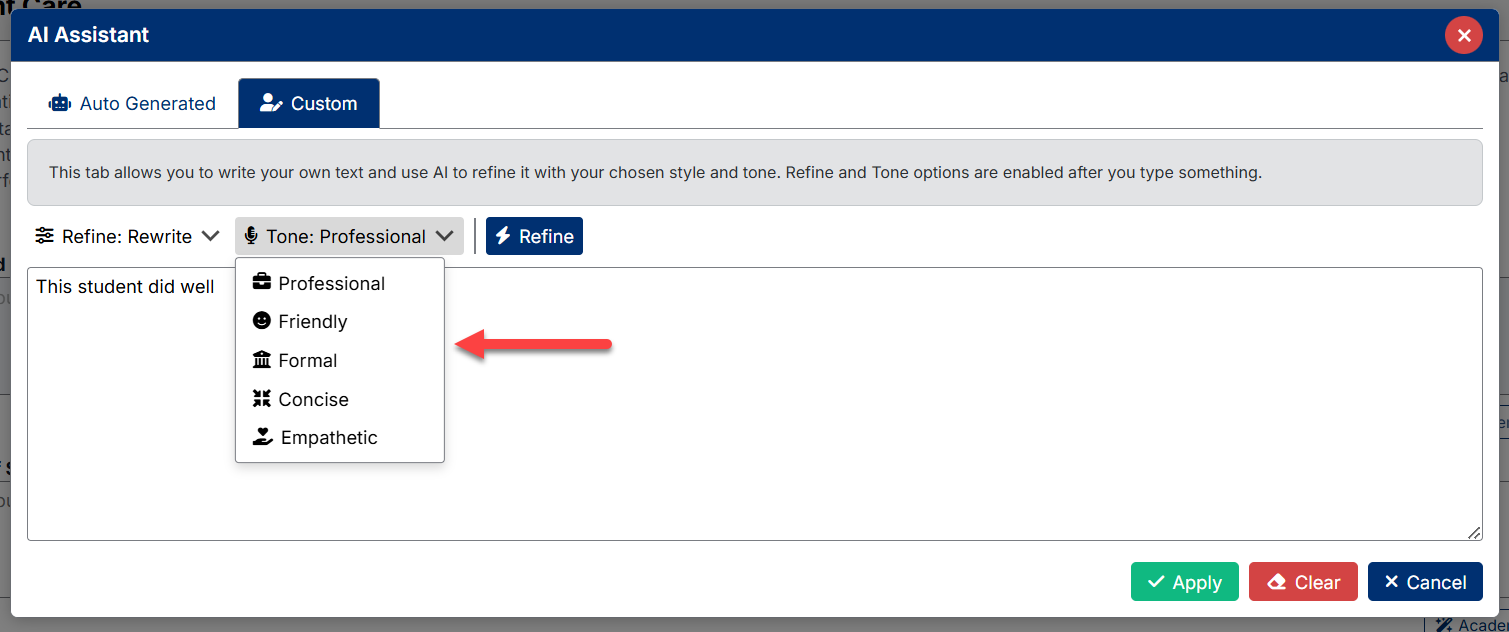
- Click Refine.
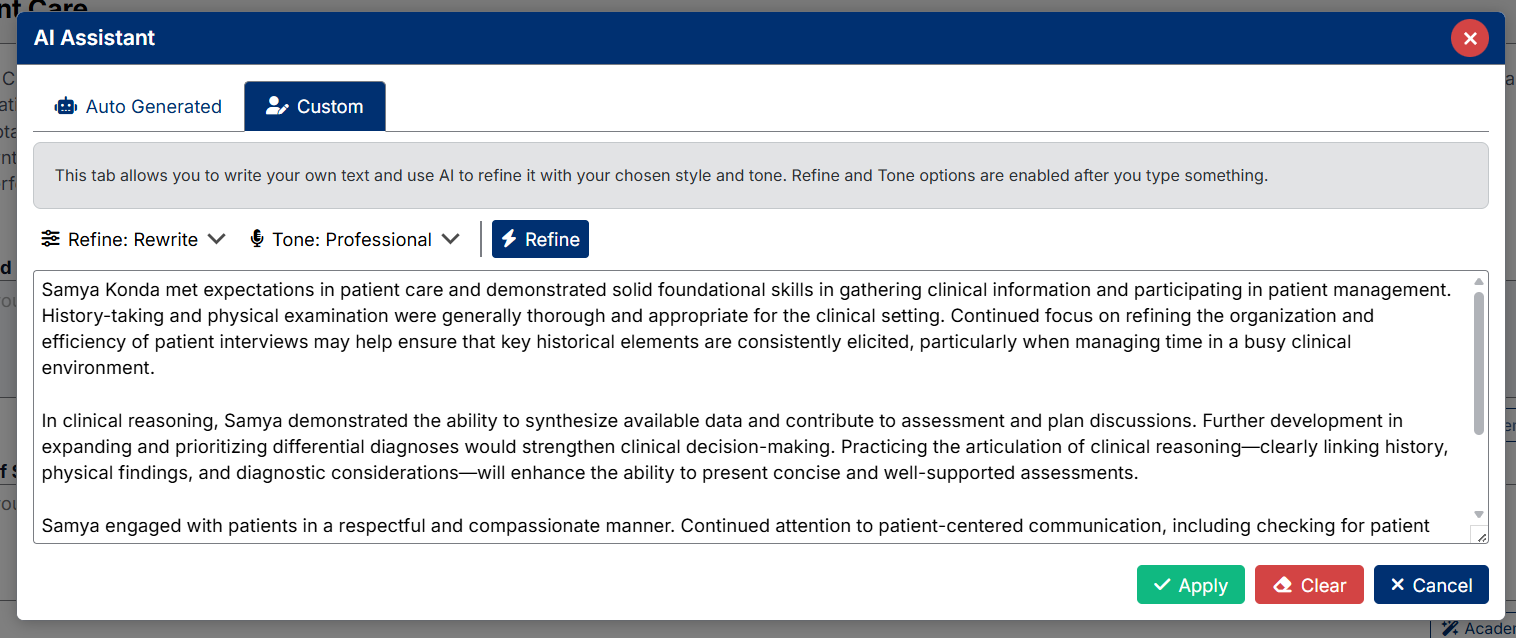
The AI Assistant will rewrite and enhance the text while maintaining the original intent.
Applying Custom AI Results
After reviewing the refined text:
- Click Apply to insert the updated text into the assessment form
- Click Clear to remove the current draft
- Click Cancel to close the AI Assistant without saving changes
Using AI Within Assessment Sections
AI assistance is available throughout narrative-based sections within Weekly and Ad-Hoc Assessments.
The AI Assistant can be used for all narrative questions included in the assessment template for the selected discipline or course.
This includes sections such as:
- Overall performance comments
- Areas of strength
- Areas for improvement
- Competency-based narrative feedback
- Confidential comments to the Clerkship/Rotation Director
Each narrative section can be generated or refined independently using the AcademX AI assistant.
Best Practice
AI-generated comments should be reviewed before submission to ensure they accurately reflect your direct observations and feedback for the student.
The AI Assistant is intended to support and streamline evaluation writing, while final assessment responsibility remains with the preceptor.
Created with the Personal Edition of HelpNDoc: Streamline Your Documentation Creation with a Help Authoring Tool